
Upload documents
Attach lab reports, scans, and X-rays to the patient’s record.
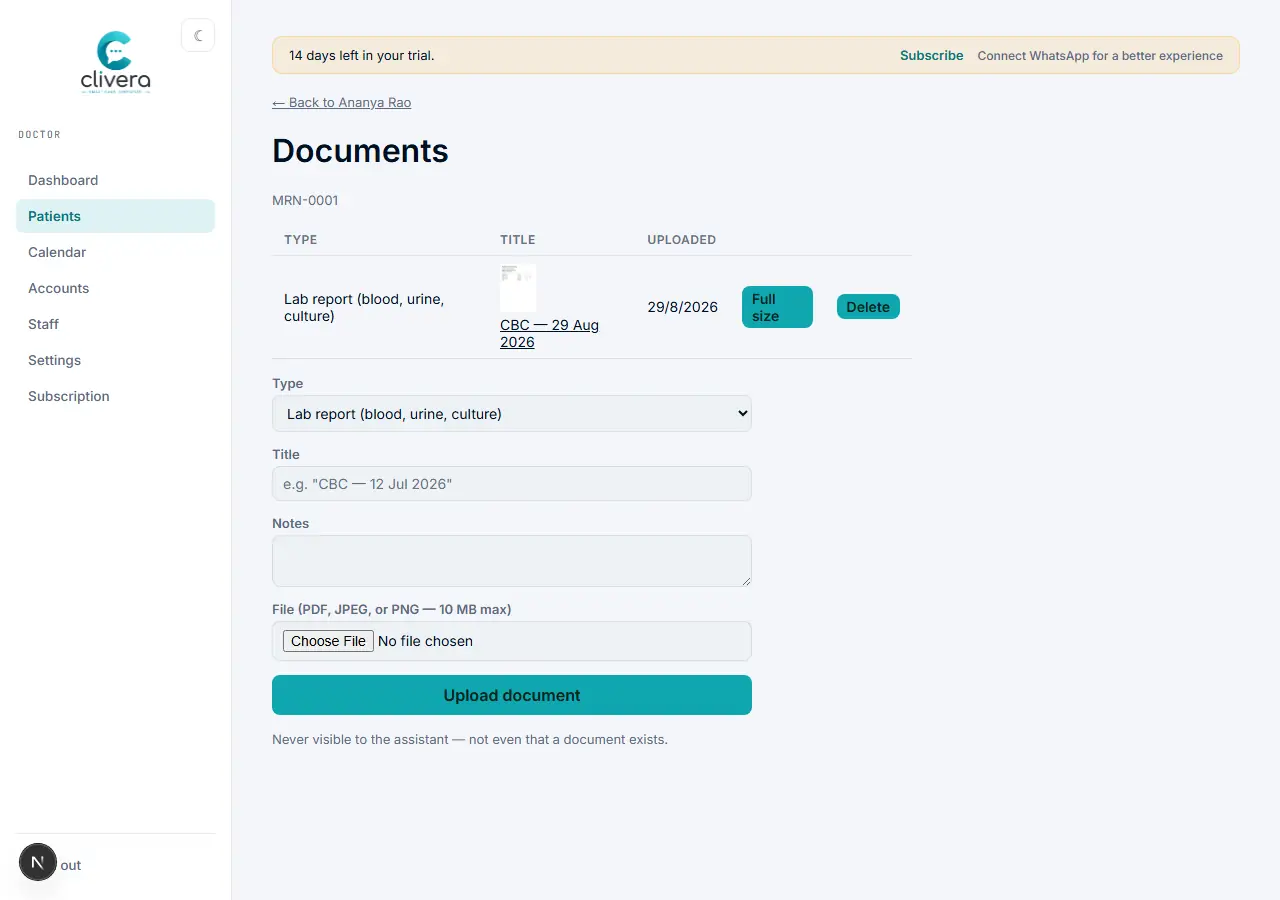
Steps
- From the patient’s record, open Documents.
- Choose a type (lab report, imaging, ECG/ECHO, discharge summary, referral letter, or OPG), give it a title, and select the file — PDF, JPEG, or PNG, 10 MB max.
- For an OPG/X-ray on a dental case, use the case sheet’s imaging upload instead — it links straight to the Odontogram so findings can reference the image.
- Documents are doctor-only — an assistant can't see the list, or even that a document exists, matching the same permission wall as diagnosis and case history.
Done when
The file appears in the patient’s Documents list with a thumbnail (for images) and opens correctly when clicked.