
How roles split, and the permission wall
See exactly what an assistant can and can’t do — the wall is enforced by the system, not just a setting.
Steps
- As the doctor, switch to assisted mode: Settings → Working style → "Yes, I have front-desk staff who check patients in and take vitals."
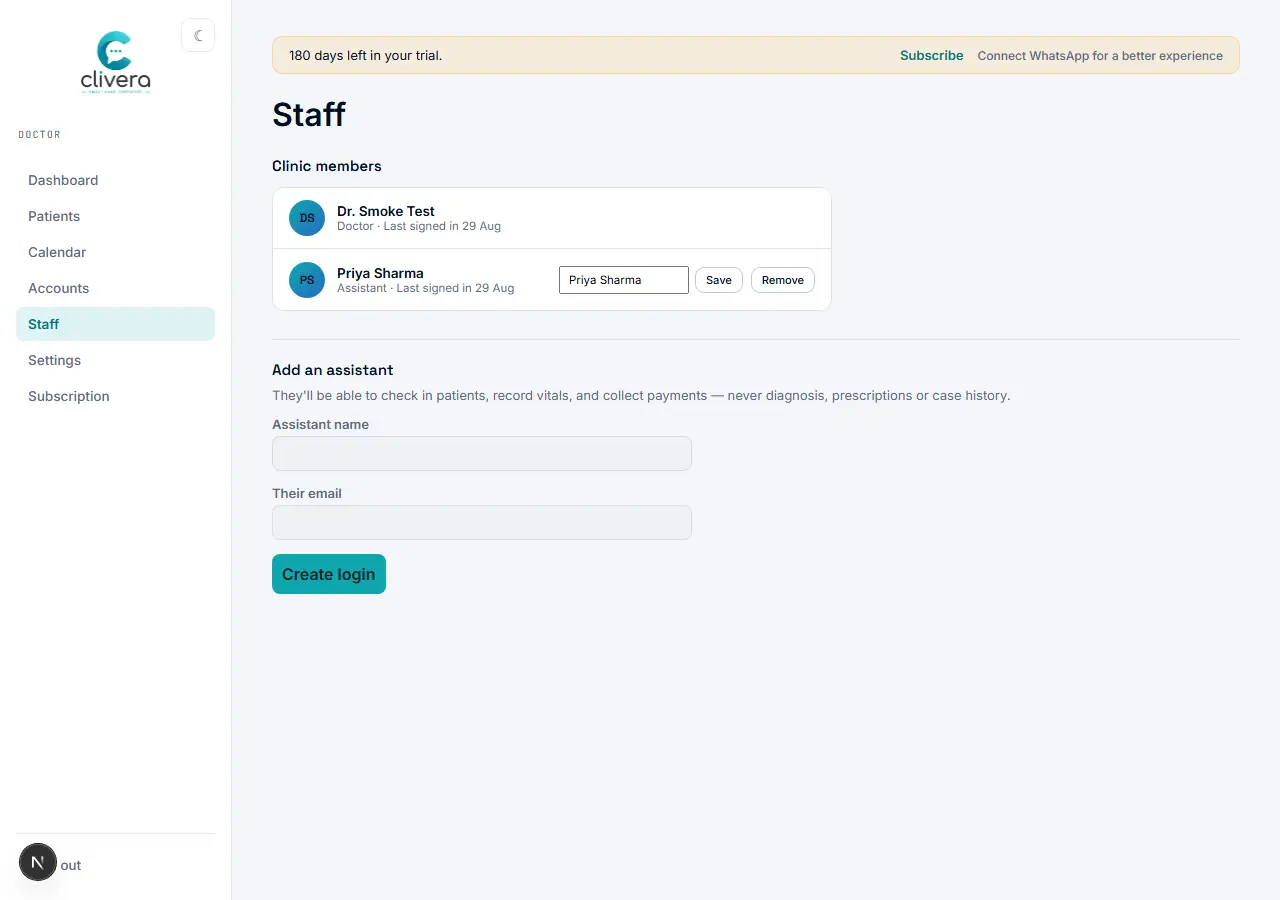
- Add your assistant from Staff: enter their name and email. They’ll be able to check patients in, record vitals, and collect payment — never diagnosis, prescriptions, or case history.
- When the assistant signs in, they land on their own Assist dashboard — today’s queue, patient search, and vitals entry for whoever’s checked in.
- The wall in practice: an assistant can register/check in patients, record vitals, and collect payment, and sees prescribed medicines only as a plain dispensing list (drug, dose, frequency, timing) — never the diagnosis, symptoms, or case history behind them.
- This isn’t a hidden menu item — the case sheet itself isn’t reachable from the assistant’s role, enforced the same way at the database level, not just hidden in the UI.
Done when
Signed in as the assistant, you can see today’s queue and the vitals form, but there’s no path anywhere to diagnosis, case history, or the case sheet.