
Check a patient in and hand off to the doctor
Check the patient in, record vitals, and the doctor sees them the instant vitals are saved — no message needed.
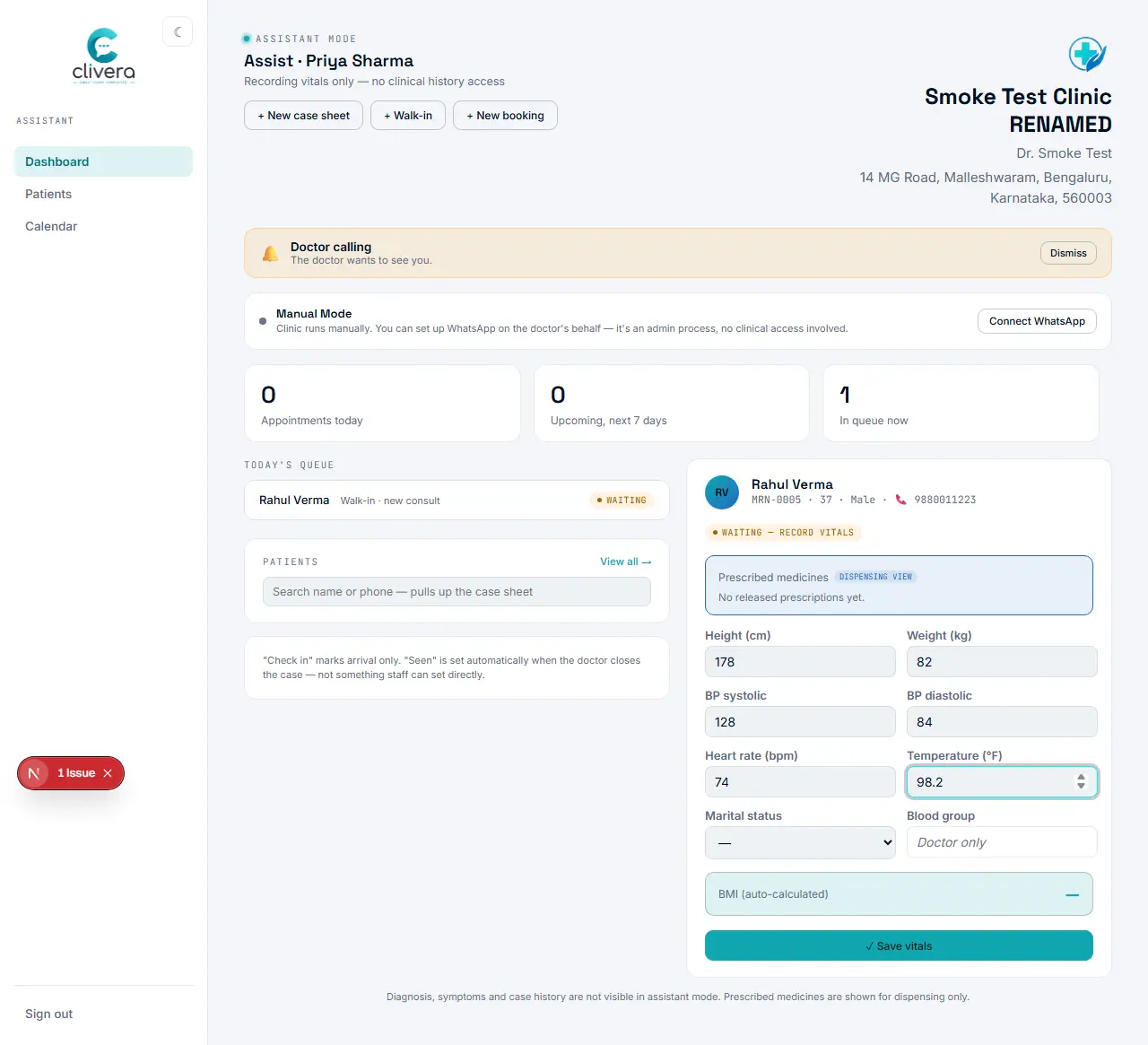
Steps
- From the Assist dashboard, find the patient in today’s queue and select "Check in →" — or register them first (walk-in or new booking) if they haven’t been added yet.
- The patient becomes the active patient in the right-hand panel.
- Fill in height, weight, blood pressure, pulse, temperature, and any optional vitals the clinic has turned on — BMI calculates automatically.
- Select "✓ Save vitals" — the patient’s status updates to "Vitals recorded, patient ready" automatically, on both the assistant’s and the doctor’s dashboards.
Done when
The queue row — on both dashboards — shows "Vitals recorded, patient ready" without anyone sending a message.