
The ready signal, and the bell
Two different signals, both real: vitals-ready updates automatically; the bell is the doctor calling the assistant on purpose.
Steps
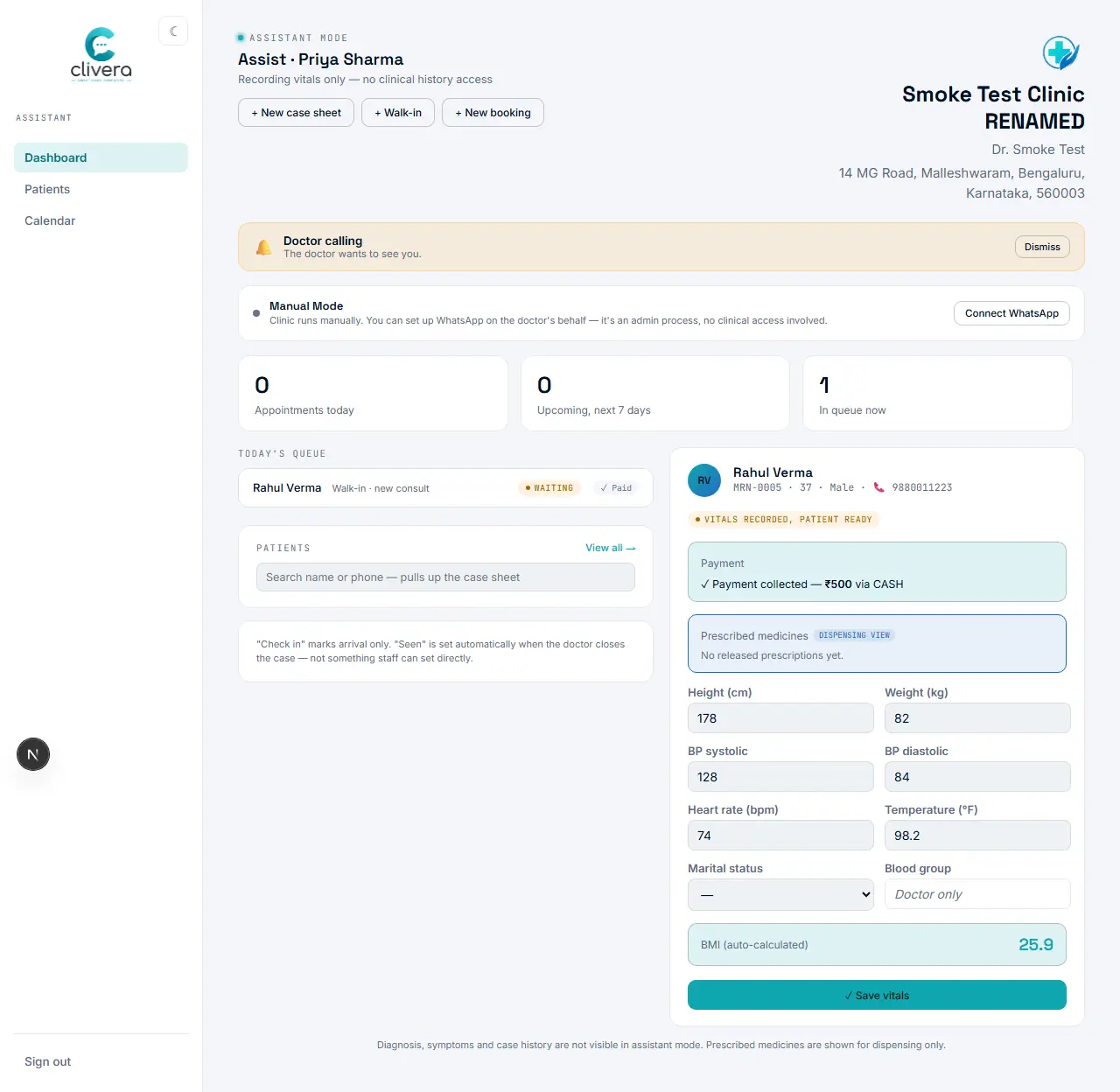
- Automatic signal: the instant the assistant saves vitals, both dashboards show "Vitals recorded, patient ready" — nobody has to say anything out loud.
- Manual signal: in assisted mode, the doctor has a "🔔 Ring bell for assistant" button on their own dashboard.
- Ringing it shows a "Doctor calling" banner (with a short chime, tab permitting) on the assistant’s dashboard until they dismiss it — useful for anything that isn’t a queue-status change.
- The bell is one-directional, doctor to assistant, by design — the assistant-to-doctor direction is already covered by the automatic ready signal above, so there’s no separate assistant-side bell to look for.
Done when
Ringing the bell from the doctor’s dashboard shows the "Doctor calling" banner on the assistant’s screen.