
Work the case sheet
Move through History → Examination → Investigations → Diagnosis → Prescription for the visit.
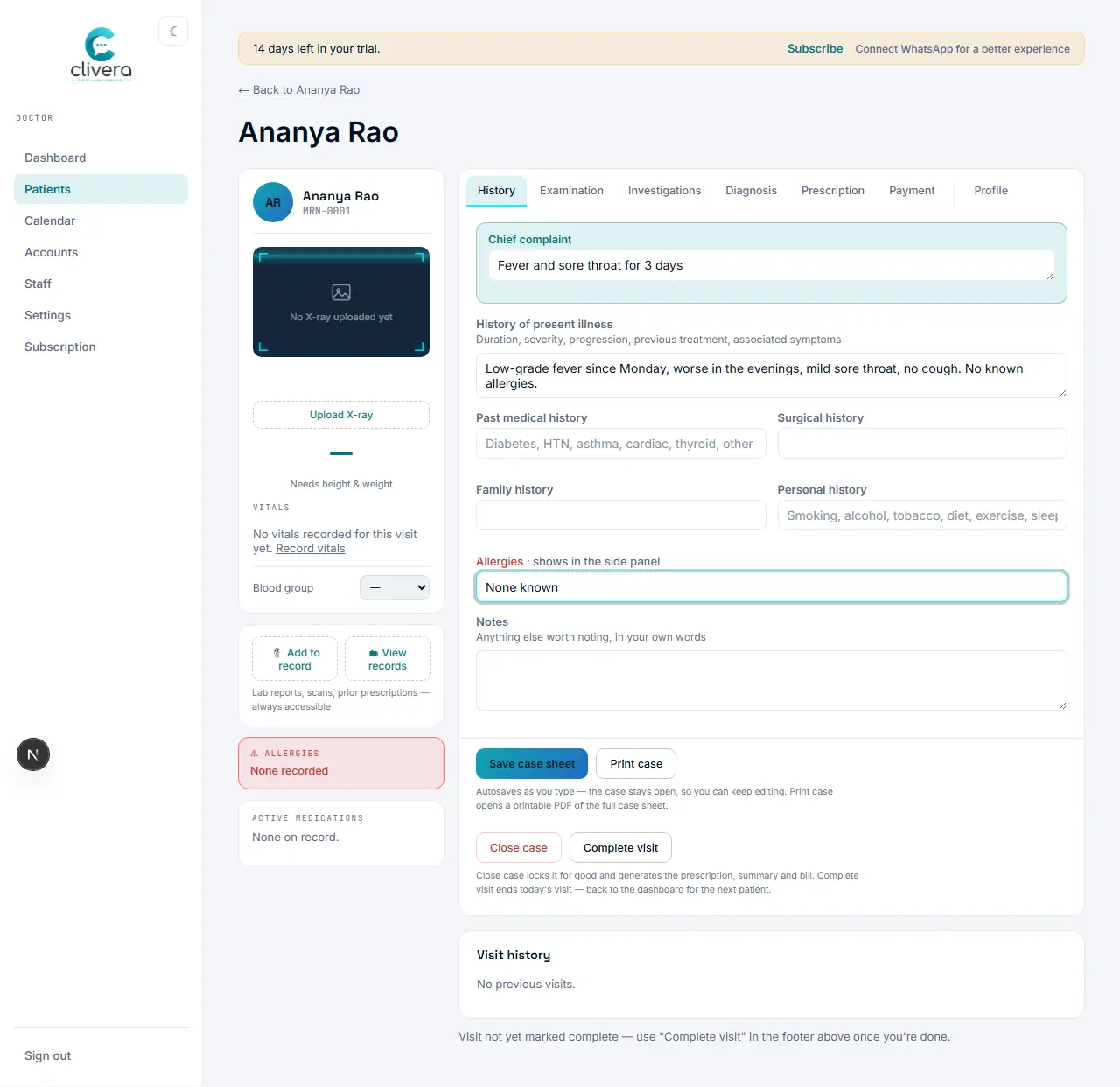
Steps
- Open the patient’s case sheet — vitals, blood group, allergies, and active medications are already on the left panel.
- Fill in History: presenting complaint and history of present illness.
- Fill in Examination: general and system-specific findings.
- Note any Investigations you’re ordering or reviewing.
- Record the Diagnosis.
- Write the Prescription — the case sheet renders fields for your registered specialty (a dental clinic sees the Odontogram tab here too).
- Everything autosaves per tab as you move across them; the timeline on the right keeps a running, capped history of the visit.
Done when
History through Prescription are filled in and the visit timeline shows an auto-generated summary entry for the encounter.